01
Catches your cursor
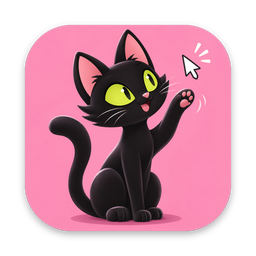
Move the cursor into the menu bar. He crouches, wiggles his bum and pounces.
You work. Up in the menu bar, a black cat hunts your cursor. Start typing and he curls up next to the notch.
Link copied01 · Habits
Move the cursor into the menu bar. He crouches, wiggles his bum and pounces.
Cursor just below the bar? He lies on the edge and reaches down with a paw.
Four keystrokes in three seconds and off he goes to sleep. Try it here, then look up.
Move the cursor slowly over him. He squints, then rolls onto his back.
Leave the mouse alone and he gets on with his own business. Face first, then an ear with a back paw.
Now and then a box drops next to him. He jumps in, peeks out and falls asleep inside.
Slides off the bar, holds on with his front paws and swings above your windows.
Now and then a fly buzzes over the bar. You can guess how that ends.
Throw him a ball of yarn from the menu. He chases it along the bar and bats it away, and once he's had enough, he pins it down and keeps it.
He wakes up when the mouse passes nearby. First a yawn, then a stretch.
Click the cat. You get a heart, a look straight at you and his nose in the air. Three quick clicks and he jumps away.
Move the cursor into the menu bar on your second display and the cat runs over the seam. He keeps away from full-screen apps.
The cat lies down by the edge and slides backwards until he hangs by his front paws. Then he throws his back legs up and crawls along under the notch, upside down. Sometimes he lets go halfway and hangs there with his legs dangling. The dog can't climb like that. He dives into the notch like a tunnel and pops out the other side.
02 · All day
Every 30, 60 or 90 minutes a glass lands on the bar. The cat looks you in the eye and pushes it off. Drink some water.
Once a day, at the hour you pick, a bowl appears. The cat begs, eats, licks his lips and says "your turn".
Turn on the reminder in the menu. After 25 or 50 minutes of work, he stands up on his back legs and asks about a break. Three minutes away from the mouse and keyboard count as a rest.
He waves in the morning and tells you to wrap up on Friday evening. Late at night he yawns and goes to bed first.
When the CPU runs hot for a while, he pants, wipes his brow and melts across the bar. He also tells you about low battery and a dropped connection.
He sits by the app name and says something fitting. In Terminal, it's "sudo feed the cat", in Figma "make the logo bigger". At most once every five minutes.
Start typing and now and then he turns to face you and drums along with every keystroke.
When music plays, he puts on headphones and nods along. During a call he stays quiet.
03 · Your cat
Black, white, ginger, grey and Siamese with blue eyes. Pick one in the menu and he changes colour mid-stride.
A Santa hat, a bobble hat, a party hat, a crown, a flower crown or a bow. From 1 December to 7 January the Santa hat goes on by itself, and on the cat's birthday it's the party hat.
Give the cat a name in the menu. The first line of the menu shows how many days you've been together, and on day 7, 30 and 100 he tells you himself.
A calm cat sleeps more, a playful one hunts and jumps more. Normal is in between, and you can change it any time.
04 · Cat or dog
Seven dogs and a manul have moved in with the cat. A Pomeranian, a Corgi, a Dachshund, a Husky, a French Bulldog, a Chihuahua and a Cocker Spaniel. The manul is a cat too. He purrs and chases the ball. When he gets to the notch, he has a sniff and hisses at it. Switch in the menu and the new pet runs in to chase the old one out. The cat arches his back and hisses, the dog barks, and the loser bolts under the notch.
Pick a face and the scene plays out here and up in this page's menu bar. In the app, it's the Cat or dog item in the menu.
Here a guest drops in every few seconds. In the app it happens once a day from day three, and the host always chases the guest off.
He walks up to the notch, sniffs it and barks. Sometimes he barks at nothing at all.
He sits facing you and tilts his head one way, then the other. When he's bored, he shakes himself off like he's just climbed out of a puddle.
Instead of a ball, you throw him a frisbee from the menu. He races after it along the bar and pins it down. Pet him and hearts float up, since dogs don't purr.
The dog has his own break reminder. He stands up on his back legs and asks if it's time for a walk. When your Mac runs hot for a while, he pants with his tongue out and flops onto his belly.
05 · Terminal and Claude Code
When a command takes 15 seconds or longer, the cat tells you which one and how long it took. He ignores Ctrl-C and editors.
When a command fails, the cat names it and the exit code. You'll know something went red without looking at the terminal.
When Claude Code has been working on a reply for a while, the cat waves and says how long it took. He skips short replies.
When Claude is waiting for your answer or permission, the cat begs with his paw. With several chats open, he says which folder.
The cat reads nothing on his own. A tiny command called kotik sends him a signal. Paste this into Terminal and he'll notice your next long command.
mkdir -p ~/.local/bin ~/.config/kotik
curl -fsSL https://makmiau.com/kotik/kotik -o ~/.local/bin/kotik
chmod +x ~/.local/bin/kotik
curl -fsSL https://makmiau.com/kotik/kotik.zsh -o ~/.config/kotik/kotik.zsh
echo 'source ~/.config/kotik/kotik.zsh' >> ~/.zshrc
For Claude Code, add the hooks from claude-hooks.json to your ~/.claude/settings.json. Your own scripts can call the cat too.
kotik say the deploy is out
kotik ok
kotik fail tests are red
The command signals the cat on this Mac and exits right away. Nothing goes online. You can switch it off in the cat's menu.
06 · Privacy
So how does he know you're typing? He only checks how many seconds have passed since your last key press. Your screensaver works the same way. He never sees which keys you press.
He isn't in your Dock either. Just a small cat icon on the right of the menu bar, and that's where all the settings live. When the screen is off or locked, he freezes and leaves the CPU alone.
The cat also knows which app you have open, so he can joke about it. He knows if sound is playing and if your mic is on, so he stays quiet on a call. He can't hear what's playing or what you say. None of it leaves your Mac.
All the cat knows about your terminal and Claude Code is what the kotik command sends him, and only if you set it up.
Is it a virus? No. Will it drain my battery? See the numbers. Will it get in the way? Put him to sleep from the menu.
07 · Install
An Apple signature costs €99 a year and the cat is free. So macOS doesn't know who made him and asks you first. That's normal for free apps from the web.
Treats go towards an Apple signature at €99 a year, so macOS stops asking about the app. Once that's covered, I'll start on an iPhone and Android app that syncs with your Mac. Whatever comes in above €99, I'm saving for an engagement ring. I want to propose to my girlfriend, and the cat has already said yes.
Якщо вибираєш між цією банкою і збором на ЗСУ, обирай ЗСУ.
Open MakMiau.dmg and drag the cat into Applications.
Open MakMiau. macOS will say it can't check it. Click Done.
Go to System Settings, then Privacy & Security. Scroll down, click Open Anyway, enter your password and confirm once more.
You only do this once. After that he starts like any other app.
On macOS 13 and 14 the windows look a little different. The steps are the same.
One command clears the quarantine flag, so the window from step 2 never shows up.
xattr -dr com.apple.quarantine /Applications/MakMiau.appMakMiau.dmg checksum, SHA-256
53770ce0e1ababa41a1b413e9a441e4bf932a7180e5f3a3d85e8c807377dfac5
Click the cat icon on the right of the menu bar. Turn off Launch at login, click Quit, then drag MakMiau from Applications to the Trash.
08 · Questions
That needs the same paid developer account. For now the cat lives in the wild.
Check next to the notch, that's where he usually sleeps. If your menu bar is packed with icons, he has less room to walk. With two displays he follows your cursor from one screen to the other. That's the Cat roams across displays item in the menu. It's on from the start and shows up once a second display is connected.
Yes. Click the cat icon in the menu bar and pick Size. There are small, medium and large.
Cat icon, then Hide the cat. Or Put to sleep if you'd like him to stay where he is.
Yes. In the menu, go to Mood and pick Calm. He runs around less and naps more, curled up like a loaf. Playful does the opposite and chases flies and the ball almost twice as often.
You've just plugged in the charger, and he's happy about it. When your Mac wakes up, he stretches and lets out a meow.
Click the icon in the menu bar and pick Cat or dog. There's nothing to reinstall. The cat and the dog each keep their own name, and coats and outfits are for the cat only.
No, Mac only.
It's coming. Once treats cover the Apple signature, I'll start on an iPhone and Android app that syncs with your Mac.